 AutoShorts.ai
The short answer
Does AutoShorts.ai auto-post to Instagram?
Yes. AutoShorts.ai generates faceless videos and supports scheduled publishing to Instagram Reels, alongside TikTok and YouTube. Instagram requires a Professional account—Business or Creator. Connect the account, select it in your Series, and check the posting schedule. A paid plan is required to create videos.
What you need before connecting Instagram
Use an Instagram Professional account: either Business or Creator. Personal Instagram accounts cannot be connected through this workflow. Make sure you are signed in to the account you intend to publish to before starting the connection.
AutoShorts connects through Instagram authorization. Complete the permission flow so the service can access the account and publish content. After returning to AutoShorts, select that account as a destination for your Series.
- An Instagram Business or Creator account you control.
- A paid AutoShorts plan with an available Series.
- A completed Instagram connection and the correct account selected in the Series.
- A posting schedule you have checked before enabling unattended publishing.
Set up a recurring Instagram Reels Series
Choose a theme that can produce distinct episodes: historical discoveries, short educational explanations, or original stories. A good custom prompt describes the kind of video to make each time, rather than repeating an entire finished script.
Choose your voice, language, visual style, duration, and music. AutoShorts uses these settings to generate the script, narration, captions, and scene media for each video. Review the first upcoming video to see how the settings translate into an actual Reel.
Create your Series
Choose the topic and creative settings. Use a repeatable theme or write a custom prompt.
Connect and select Instagram
In the account selector, connect Instagram, complete authorization, and select the intended Professional account.
Check the next post
Preview the upcoming video, make supported edits, and check its scheduled publishing time and destination.
Give the story room to breathe.
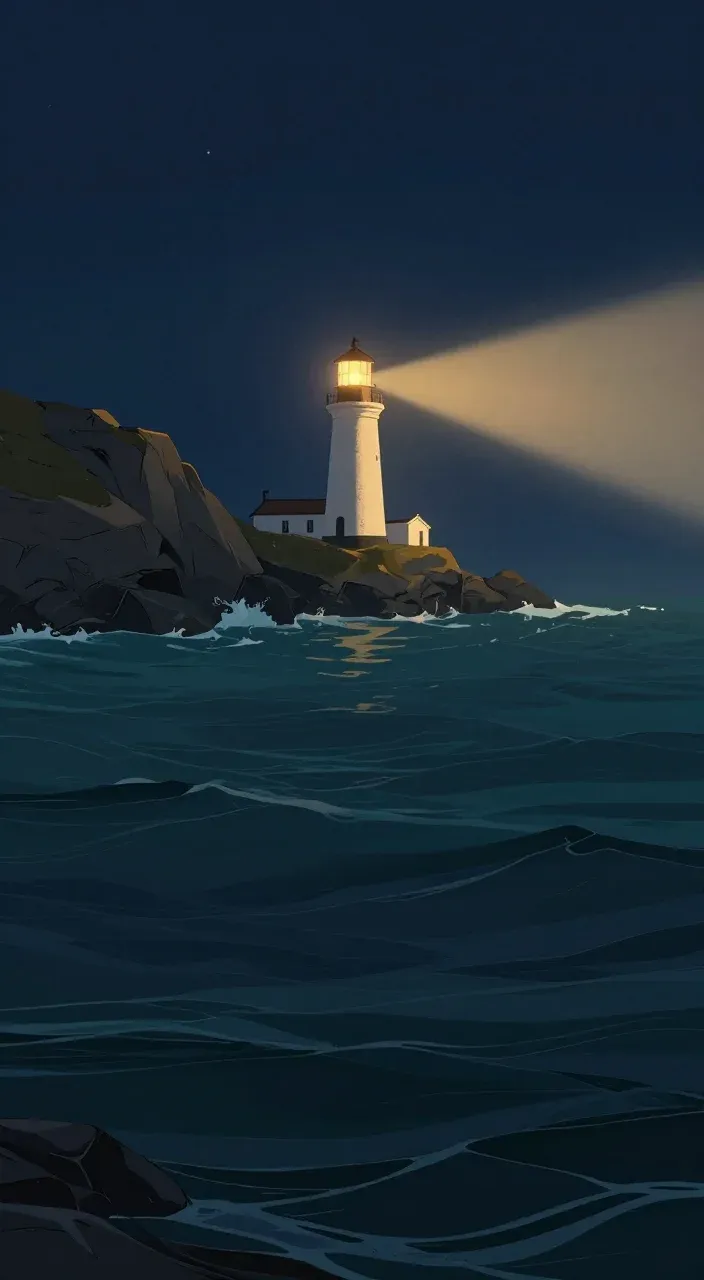 A light in
the darkness.
Keep the subject easy to find
The lighthouse stays visible above the example caption.
Check text against the image
A short, high-contrast caption is easier to read against the dark sea.
Preview on a phone
Check the final video with the platform’s controls visible. Avoid placing essential details at the edges.
Can I edit a Reel before it posts?
Yes. The upcoming-video view lets you preview the generated video and change supported details such as the script, title, scene images, and background music. Make your changes early enough for any new render to finish before publication.
Review is not a mandatory approval gate. With scheduled publishing active, a video can post without you opening it. Pause the Series before the scheduled time if you need more time to check the video; pausing does not recall an upload already in progress.
Use the same Series for more than Instagram
A Series can select one Instagram account, one TikTok account, and one YouTube channel. That lets one recurring topic support several destinations without creating a separate Series solely for each platform.
Check each destination’s account and publishing settings. A successful post to one service does not prove that the other accounts are still authorized or that every platform accepted its upload.
If Instagram does not connect or a Reel does not appear
If the Instagram connection shows “Profile not found,” return to the AutoShorts connection dialog and choose Copy Link. Paste the connection link into Safari or Chrome, then complete the authorization there. This is the fallback shown in the product.
For a missing scheduled post, first check the video status in AutoShorts. Confirm that the video finished rendering, the Series is not paused, and the correct Instagram account is selected. If the status indicates an authorization problem, reconnect the account and review the selected destination.
If the status shows an upload or publishing error, contact support with the Series and video details. Avoid assuming a missing post is a reach problem: publishing status and the number of views are separate questions.
Choose a schedule that fits your plan
The standard monthly plans below are for one Series. A Series is one recurring content setup; it is not the same thing as a social account. You can select one account per supported platform for that Series. Additional Series increase the subscription price.
Motion credits are separate from posting frequency. They animate scene images, so a plan that generates a video every day does not mean unlimited fully animated footage. Check the current pricing page for credit allowances and annual billing options.
| Monthly plan | Price for 1 Series | Posting frequency |
|---|---|---|
| Starter | $19/month | 3 times a week |
| Daily | $39/month | Once a day |
| Hardcore | $69/month | Twice a day |
Prices checked October 22, 2026. Video creation requires a paid plan; free-account video creation is disabled.
Common questions
Can I connect a personal Instagram account?
No. The Instagram connection requires a Professional account: Business or Creator.
Is Instagram auto-posting included, or do I have to download every Reel?
AutoShorts supports scheduled posting to a connected Instagram account. You must select the account for the Series and keep its authorization valid; downloading and manually uploading every Reel is not required for that workflow.
Can the same Series also post to YouTube and TikTok?
Yes. A Series can select one account per platform: one Instagram account, one TikTok account, and one YouTube channel. Each destination still has its own account permissions and publishing settings.
Will my Reel wait until I approve it?
No. You can review and edit before the scheduled publishing time, but review is optional. Pause the Series in advance if you need more time.
Product details & further reading
This guide describes AutoShorts.ai’s product workflow. Plan details were checked on October 22, 2026; current pricing and account requirements may change.
 AutoShorts.ai
 YouTube